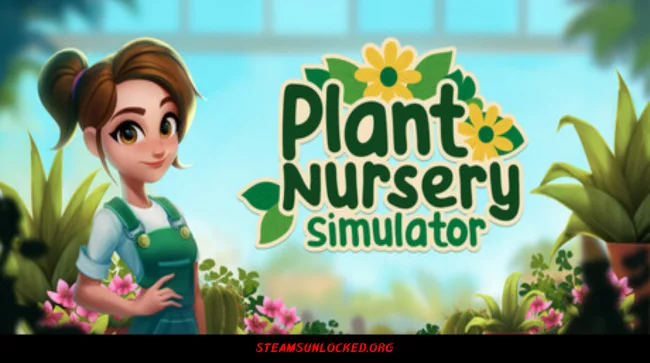
Plant Nursery Simulator Free Download

Plant Nursery Simulator Free Download

Enjoying this game? Rate it!

Game Overview

Picture this: you’re running your own little plant nursery. At first, it’s just you, some shelves, and a few seedlings, but it quickly turns into a bustling shop if you play your cards right. You hop on your computer to order new plants, seeds, fancy gardening tools, and maybe a few cute decorations. Then, you get to arrange everything just how you like—tidy shelves, eye-catching displays, the works. Keeping things clean and well-stocked? That’s what keeps customers coming through the door and spending money.

Of course, you can’t just hide among the greenery all day. Customers need you. You’ll help them pick out the perfect plant or grab the supplies they need, jump behind the register during the rush, and always try to send folks home happy. With every happy customer, your shop grows. More sales mean more profit, and before you know it, you’re expanding your nursery and turning your cozy storefront into something bigger and better. You may also be interested in the game Cozy Cleaner.

Screenshots

Installation

  1. Click the Download button below and you'll be redirected.
  2. Wait for 5 seconds and then click the blue 'download now' button to start the download.
  3. Once the download is complete, right-click the .zip file and choose "Extract to"Plant Nursery Simulator" (You'll need 7-Zip, available here).
  4. Open the game, and run the exe application.
  5. Enjoy playing! Remember to run the game as an administrator. If you encounter any missing DLL errors, check for a Redist or _CommonRedist folder and install all the programs it contains.

System Requirements

OS
Windows (64-bit) 10
Processor
Intel Core i3-8100 / AMD Ryzen 3 1200 or equivalent
Memory
4 GB RAM
Graphics
Nvidia GeForce GTX 650 / AMD Radeon HD 7750 or equivalent
Storage
4 GB available space
Published
Updated
File size
3.60 GB
Posted by
STEAMSUNLOCKED

Something out of date or not working? Report an update

You May Also Like

0 Comments

Comments are moderated. Plain text only — links aren't allowed.